01 / Present
InOne helps you tell your story naturally. Your script sits over the lens so you can read while looking at camera — then it writes, cleans and stitches the take with you. From first line to final cut, in one app.
Free for iPhone & iPad
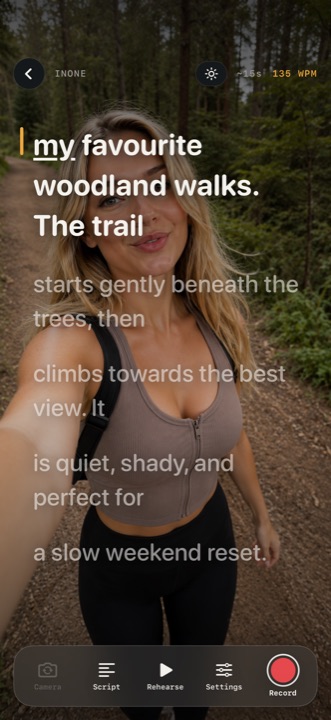
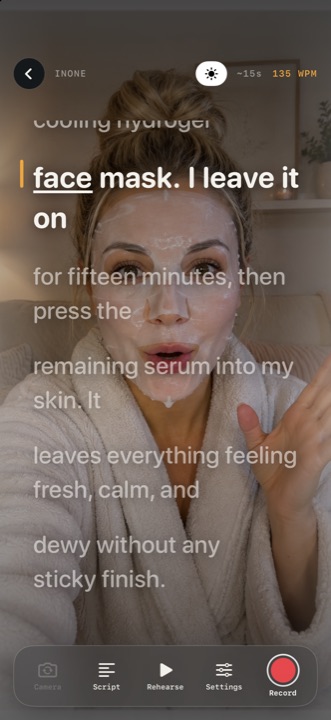
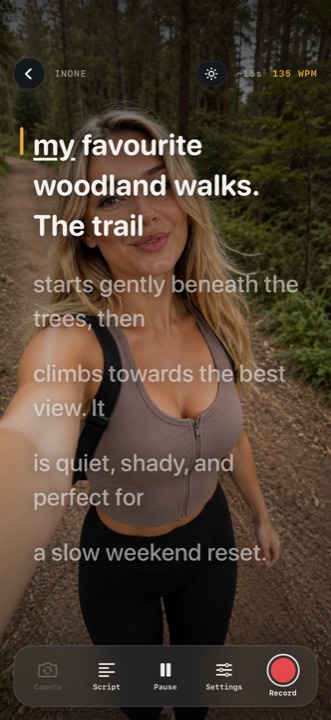
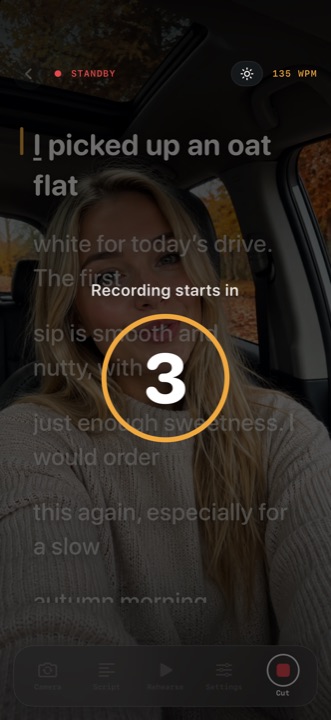
This is what reading at camera looks like
The workflow
Four steps that used to need four apps.
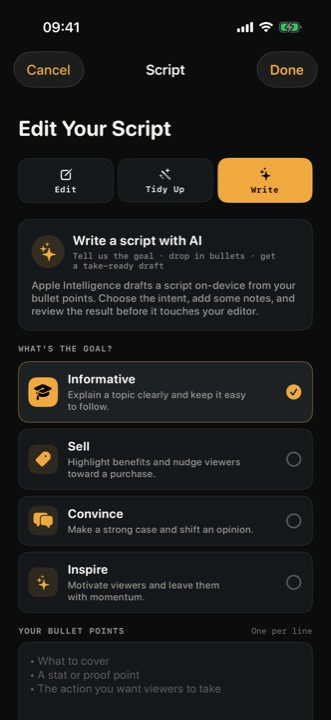
Type, paste or import. Turn bullet points into something you can read aloud, or tidy a draft while keeping your tone.
The autocue sits over the camera. Pick a speed, or let Follow My Voice move the script as you speak.
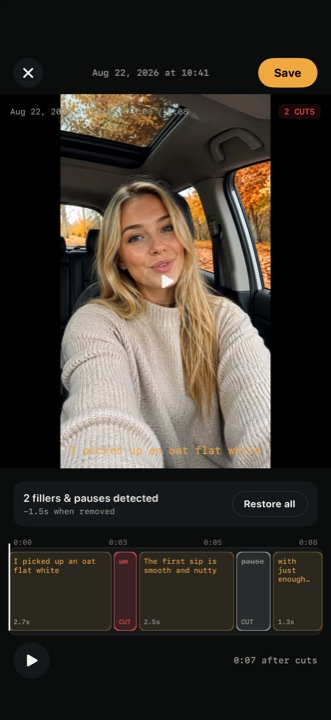
InOne finds the filler words and the long pauses. You choose what goes, and restore anything you want back.
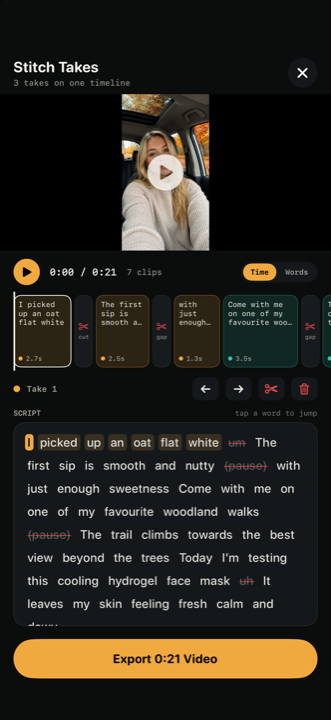
Put clips from different takes on one timeline, reorder them, add captions and export a single file to Photos.
01 / Write
Type your script, paste it, or import one you already have. Starting from a handful of bullet points? InOne shapes them into lines you can actually say out loud — or tidies an existing draft while keeping your meaning and tone. Every suggested change is shown for review before it is applied.
AI writing uses Apple Intelligence and runs on your device. It needs a supported device, a compatible iOS version and Apple Intelligence switched on.
02 / Read
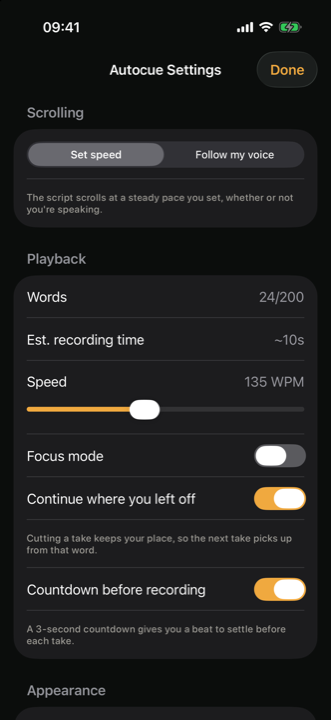
Your words sit right next to the lens, so your eye line stays where it belongs. Choose a scrolling speed, or switch on Follow My Voice: the script moves as you speak, waits when you slow down, and helps you find your place again when you drift. Word count and estimated reading time are there before you press record.
03 / Clean
Every recording lands in My Takes with its script and a transcript linked word-by-word to the timeline. InOne highlights the filler words and the long pauses it finds, tells you how much time they cost, and lets you decide. Remove them, restore any cut, or mark other mistakes yourself. Your original recording is never touched.
04 / Stitch
Pull the best clips out of different takes and drop them onto one timeline. Reorder them, drop the ones you do not want, and tap any word in the transcript to jump straight to that moment. Export the finished cut to Photos as a single file.
05 / Record
Light, framing, pace and rehearsal — set before the countdown starts, then adjusted without leaving the shot.
A screen ring light with its own brightness control, for the evenings when the room will not cooperate.
Run the whole script in rehearsal mode and find the awkward lines before anything is recorded.
A three-second countdown gives you a beat to settle, and the live audio meter shows your level before you speak.
A distraction-free full-screen read with nothing else on the display — for when you are shooting on a second camera.
Turn the screen into an evenly-lit green-screen backdrop so your words and your key can share the same phone.
06 / Finish
Filters, captions and motion — all non-destructive, all included in the export.
Clean or Bold styles, positioned where you want them, in the accent colour you pick. Highlight your keywords, or the word being spoken right now.
Natural, Warm, Cool, Contrast and Mono, each with an intensity you control.
Subtle or dynamic movement, centred on the frame, on a point you choose, or on your tracked face.
Front or rear camera, either orientation, whatever the platform wants.
Each recording kept with its script and transcript.
Voice following and supported speech recognition run on your device, and so does Apple Intelligence writing when it is available.
Filters, motion and captions are baked into one exported video, ready to post.
Social videos, product reviews, tutorials, lessons, presentations — anything where you tell your story to camera, naturally, and there is nobody behind it.
Help / Support
Email callum@rlysimpl.com — the same address we use for privacy questions. No login required.
Small, focused apps for travel, wellness and getting things done.